Reception & requests
Register your patients and enter their service requests.
Integrated management ERP for private clinics
Prices come from the service catalogue and insurer agreements, every cash desk session closes with its variance, and practitioner fees are calculated on what was actually collected. No re-entry between departments.
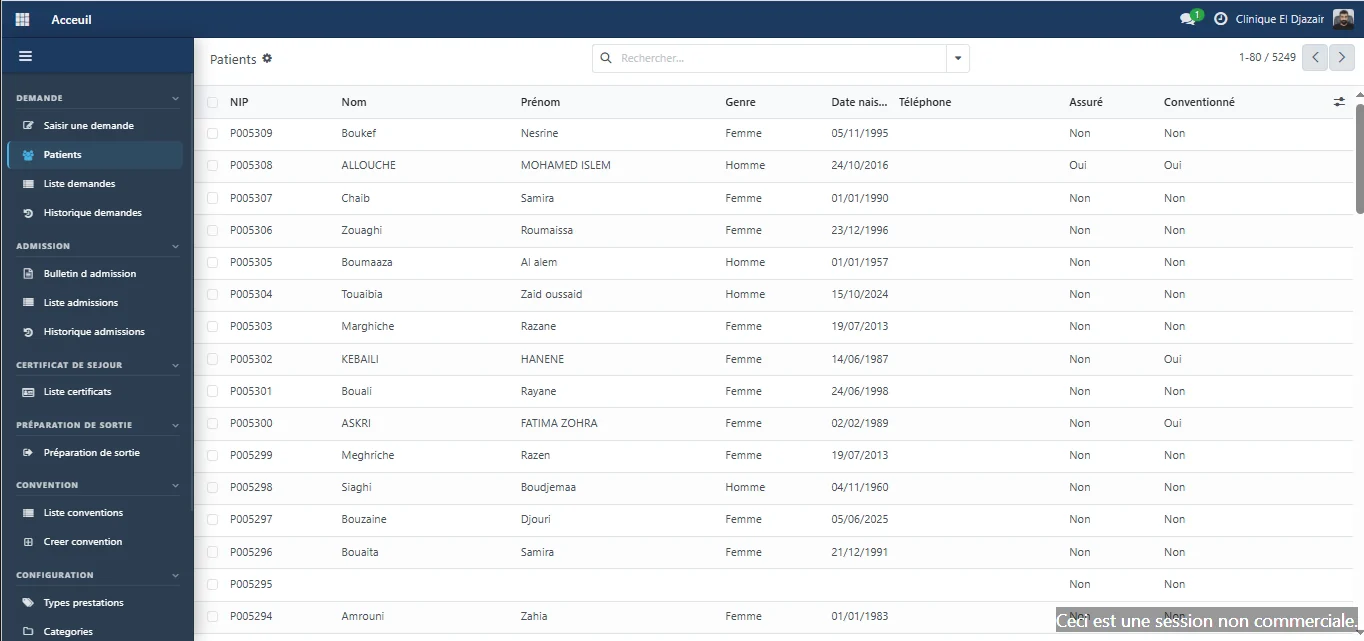
In production at Clinique El Djazaïr — Annaba, Algeria
The catalogue sets the price of every procedure. Reception, cash desk, billing and fees all read the same one.
See the screen : One price, one source.They collect the amount set by the system. At closing, the counted amount is compared with the expected amount, and the variance is recorded.
See the screen : The cashier calculates nothing.From scheduling to discharge, every change in an admission's status carries its date and time.
See the screen : Every status is timestamped.A fee scale per procedure and per role, applied to what was actually collected, session by session.
See the screen : Fees calculated on collections.The problem
Each department runs its own tools, and management rebuilds the information instead of reading it. Running a clinic shouldn't be fragmented.
The record, the invoice and the stay of the same patient live in separate tools.
Operations still kept by hand, copied from one register to the next.
Hard to know what was consumed, by which department and for which patient.
Products and stock movements tracked outside the system, if at all.
The facility's equipment with no single register and no history.
Management information has to be rebuilt instead of simply looked up.
The solution
Reception, care units, the laboratory and the finance chain share a common foundation: no double entry, no discrepancies between departments.
Shared data foundation
The software
No mock-ups: the screens below come from the software in production, shown in the order a patient file goes through them.
From first contact to discharge: the request, the admission, the stay and the tests all feed a single record.
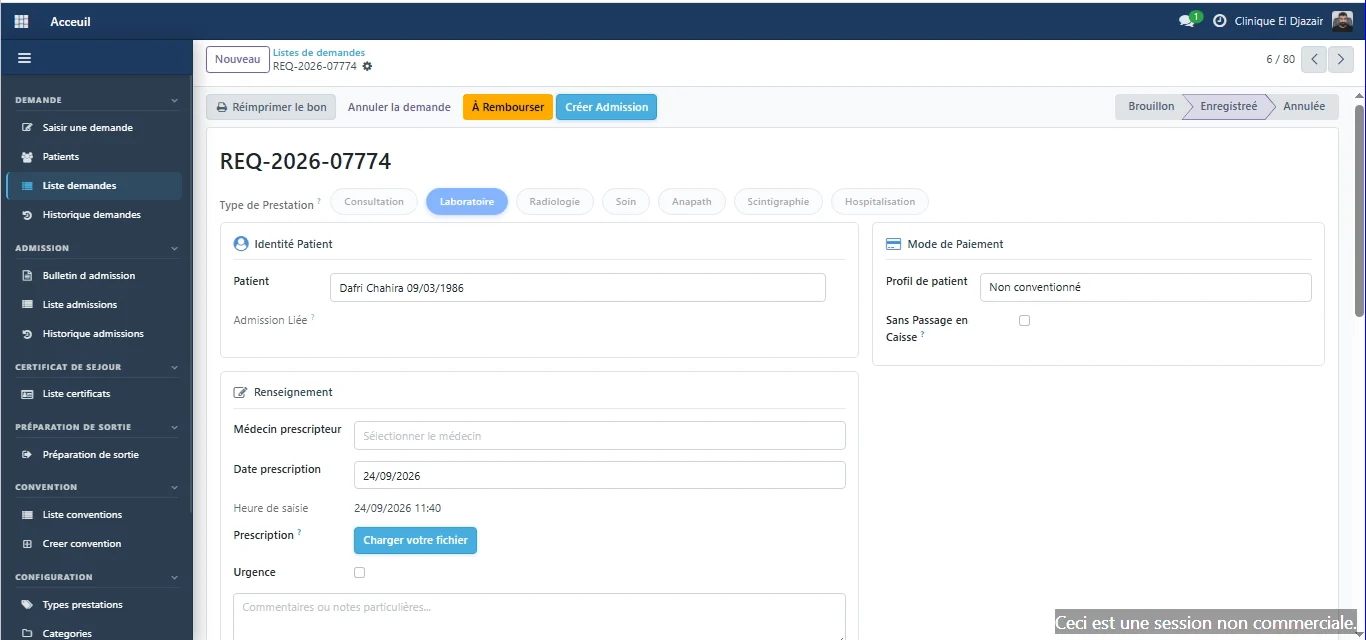
Reception
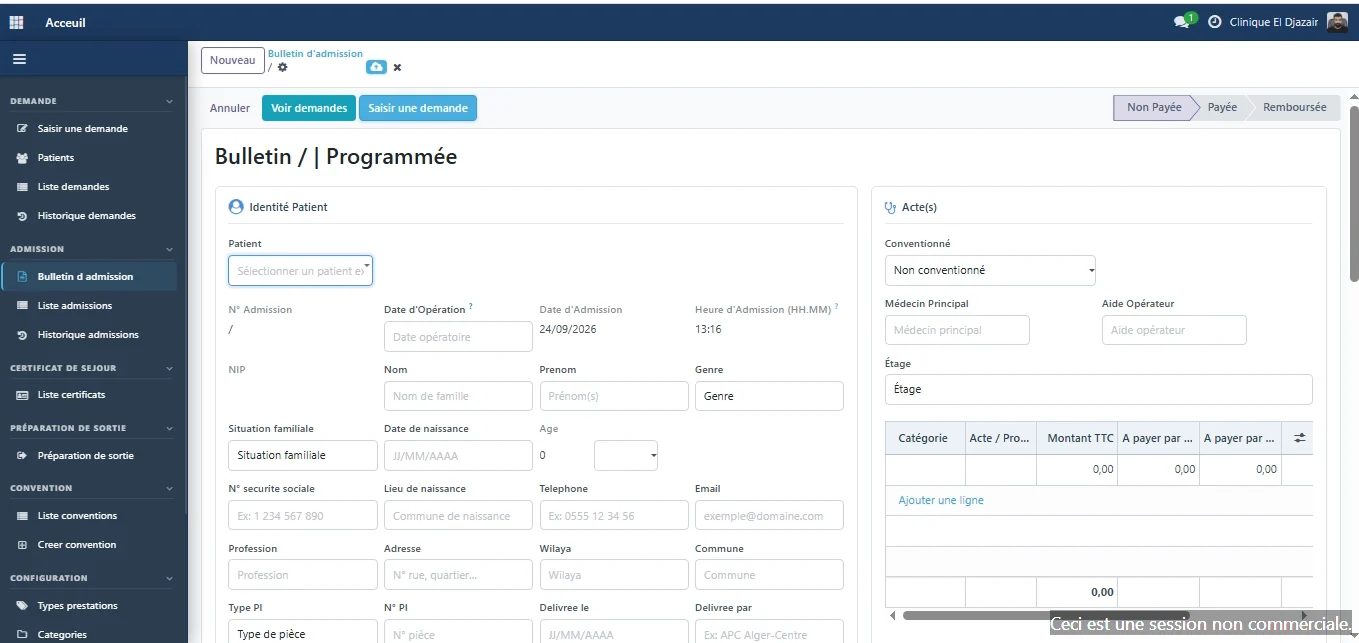
The patient is registered once, with a permanent ID number. The resulting request then feeds every other module.
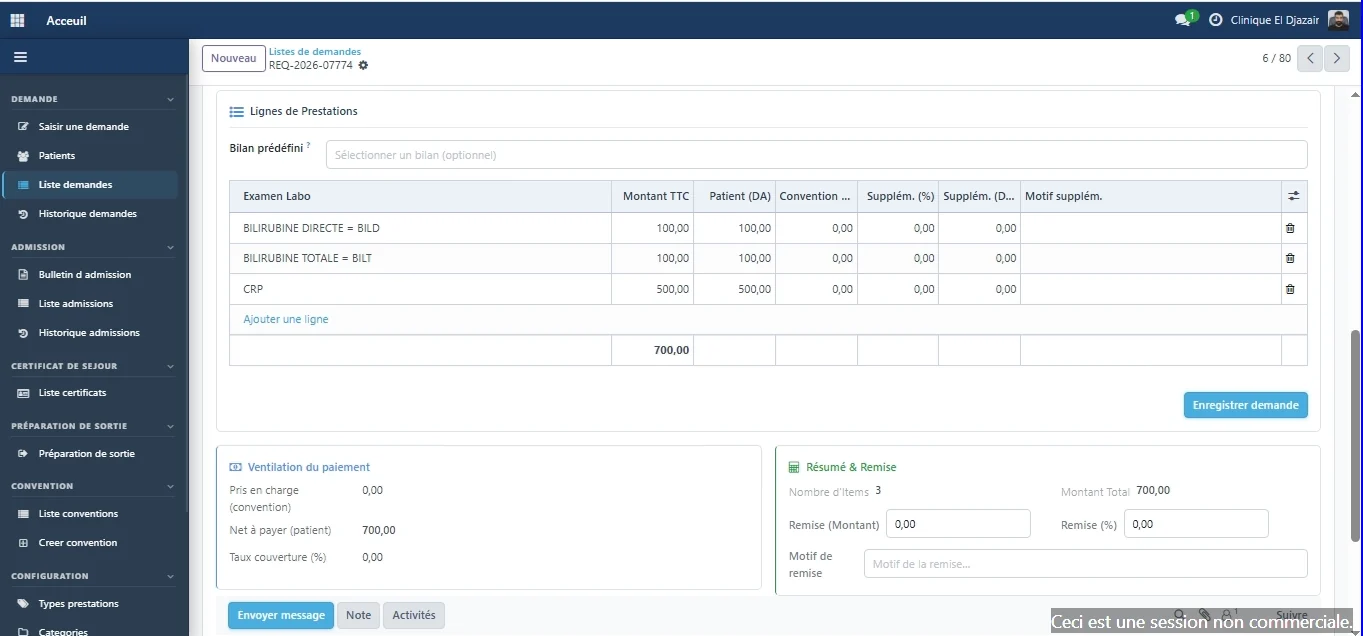
Pricing
Each service added takes its price from the reference catalogue. The share covered by the insurer and the patient's balance appear on the same screen.
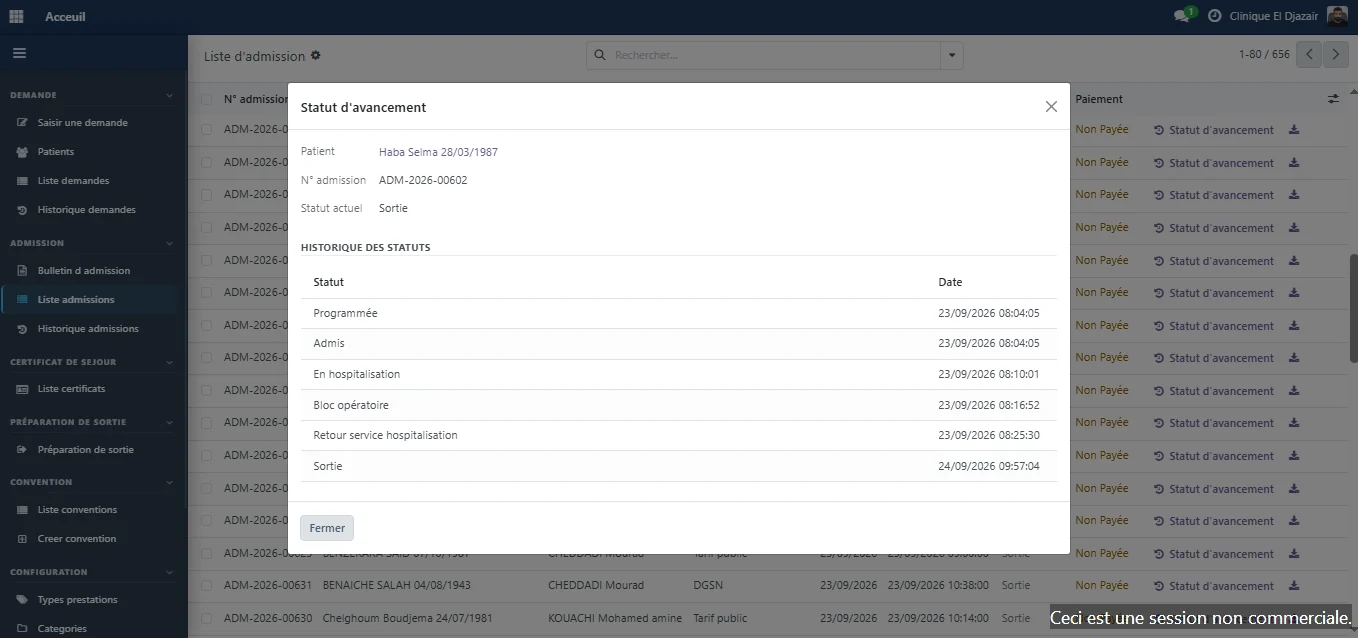
Admissions
Timestamps are automatic: the stay reads like a timeline, with nothing to piece back together.
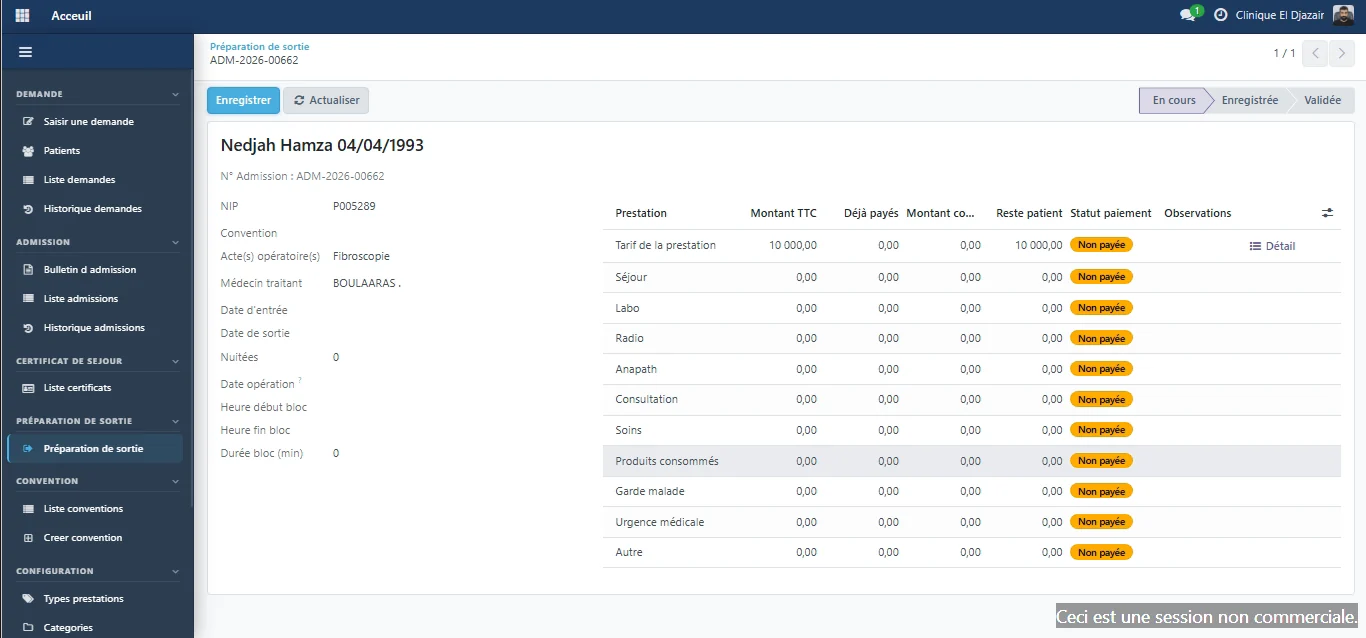
Patient discharge
Before the patient leaves, the discharge screen gathers what the stay consumed, what has already been paid and what remains due.
Inpatient care
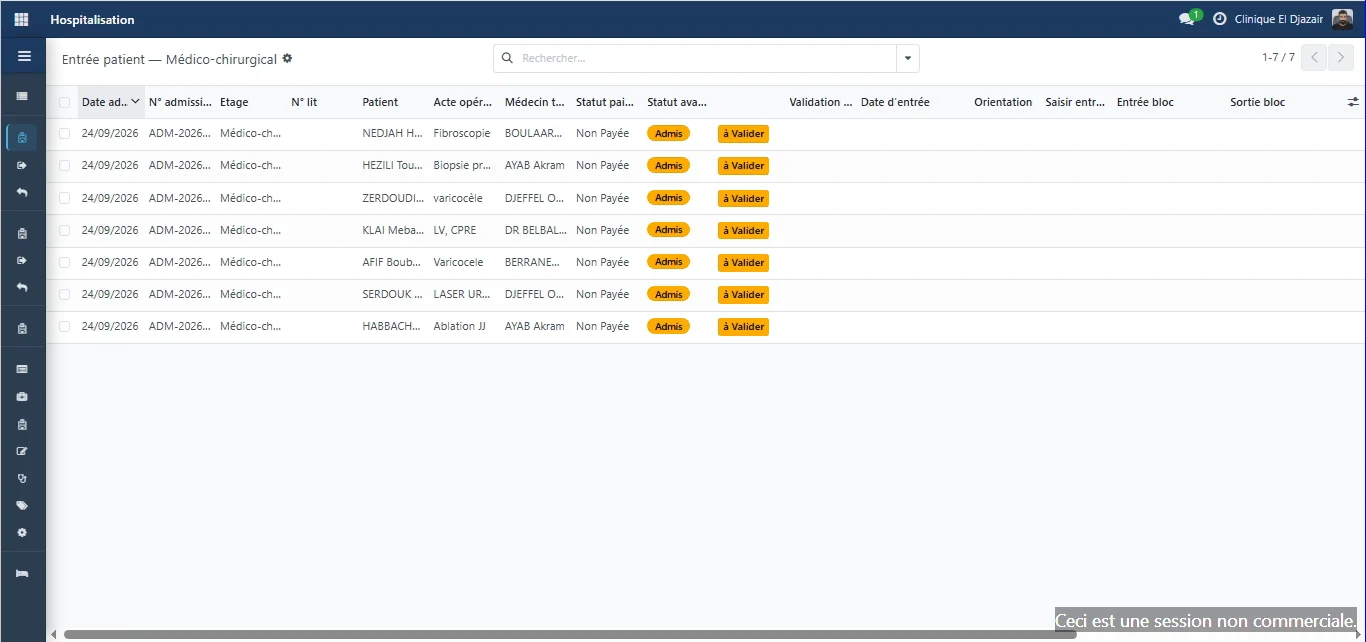
Medical-surgical, maternity, operating theatre: staff confirm the patient's arrival, direct them and assign a bed.
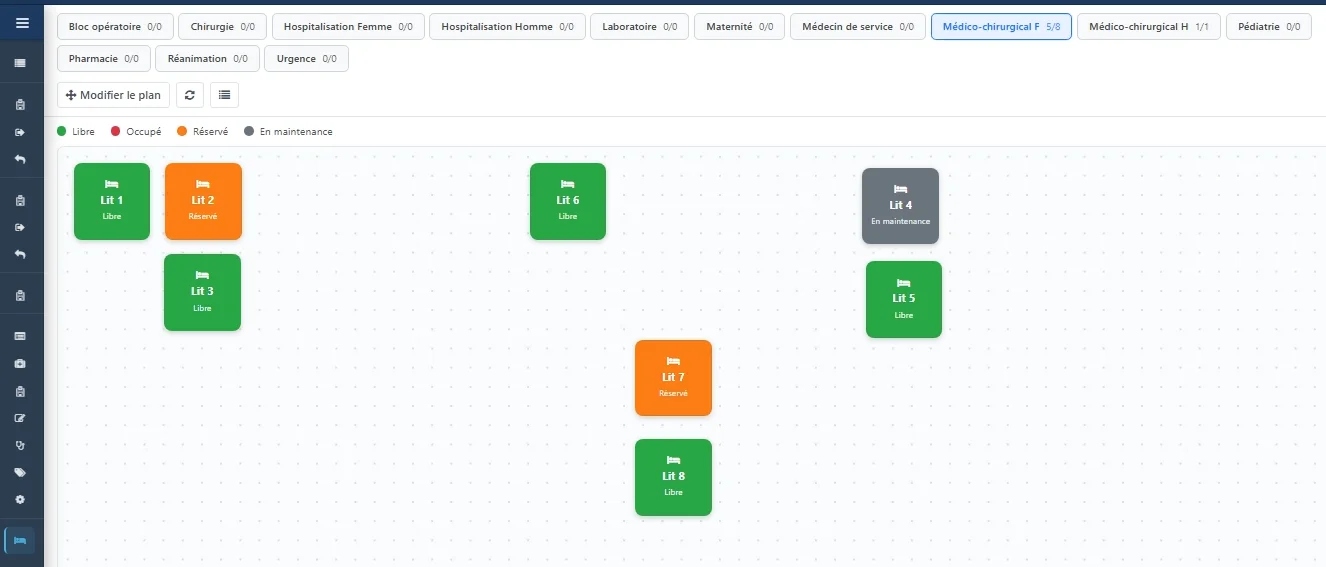
Beds and rooms
Each ward has its own floor plan, showing beds as they are laid out, with their status: free, occupied, reserved or under maintenance.
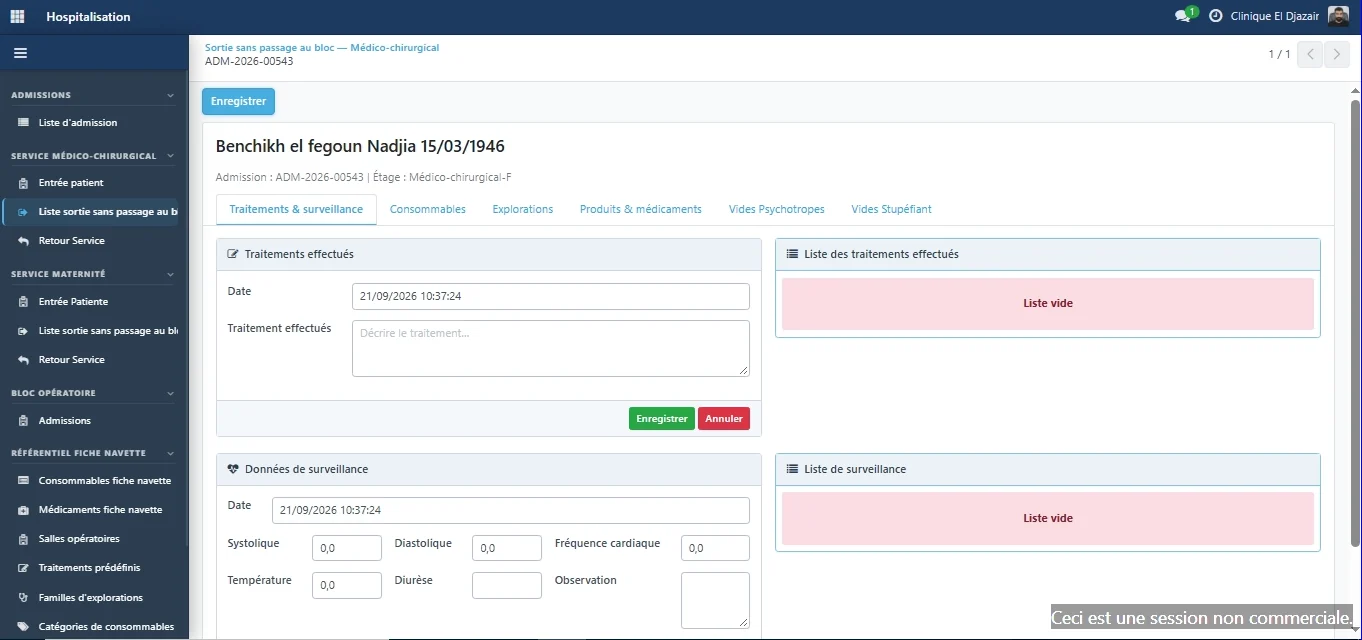
Bedside follow-up
Treatments given, vital signs, consumables, medication and investigations become part of the patient record.
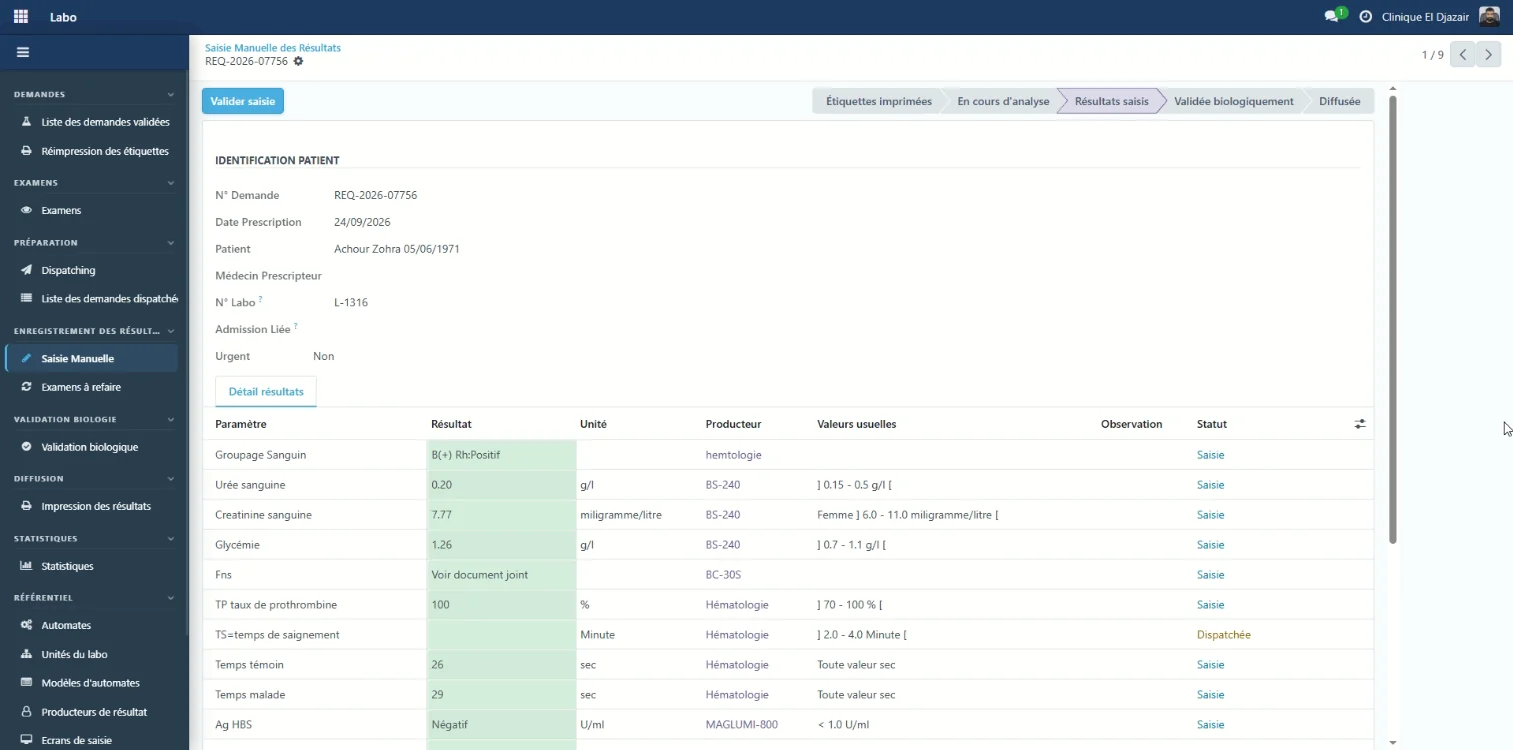
Laboratory
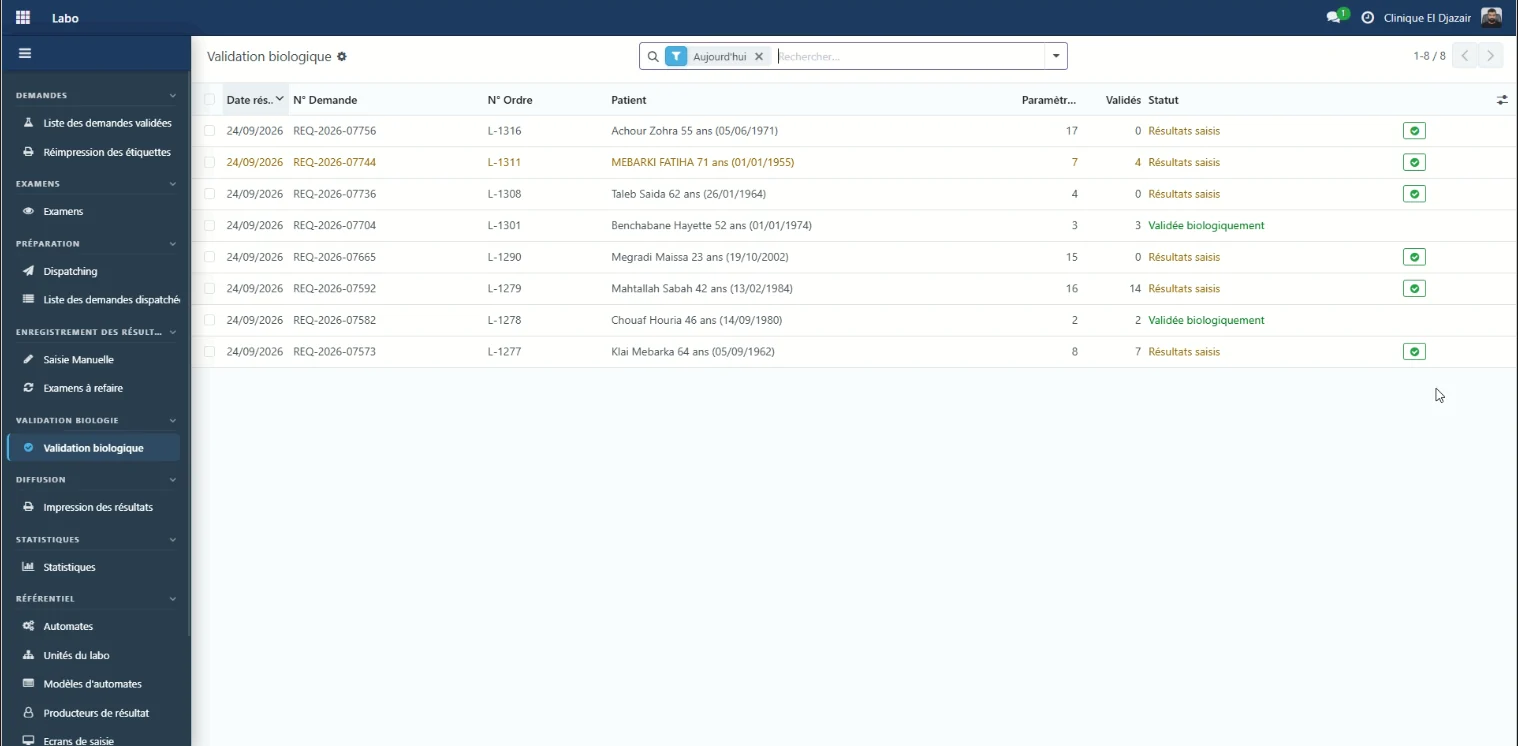
The laboratory receives requests, routes each parameter to the instrument that processes it, then enters and validates the results.
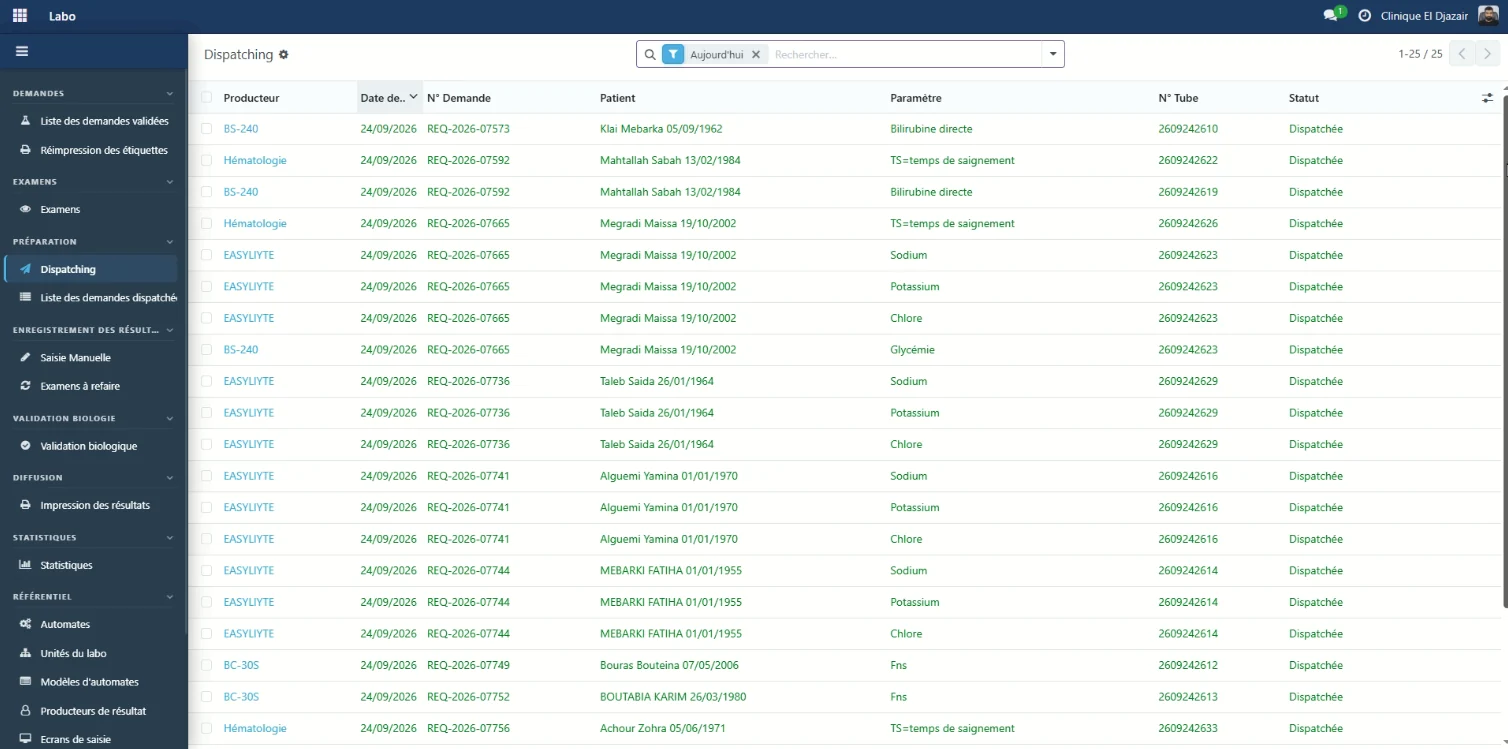
Laboratory
Dispatching routes each test to the analyser or bench that processes it, with the matching tube number.
What was done for the patient becomes, step by step, what is collected, billed to insurers and paid to practitioners.
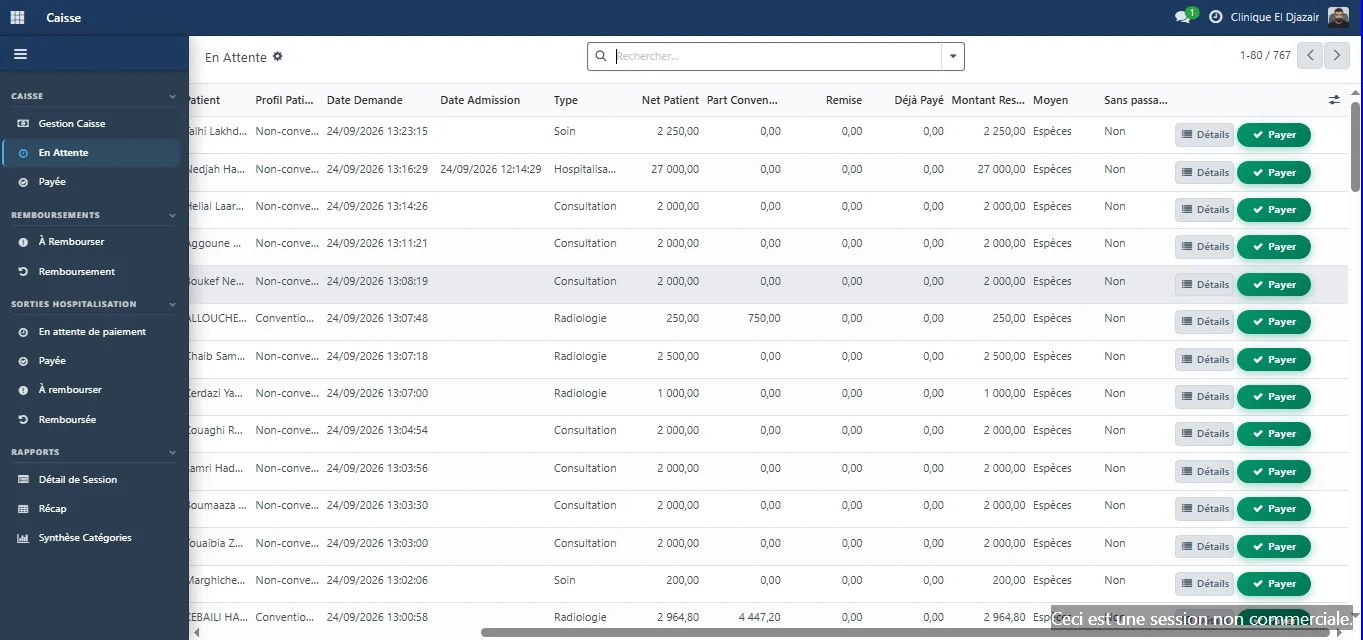
Cash desk
They find the request, check the service details and collect the amount set by the system.
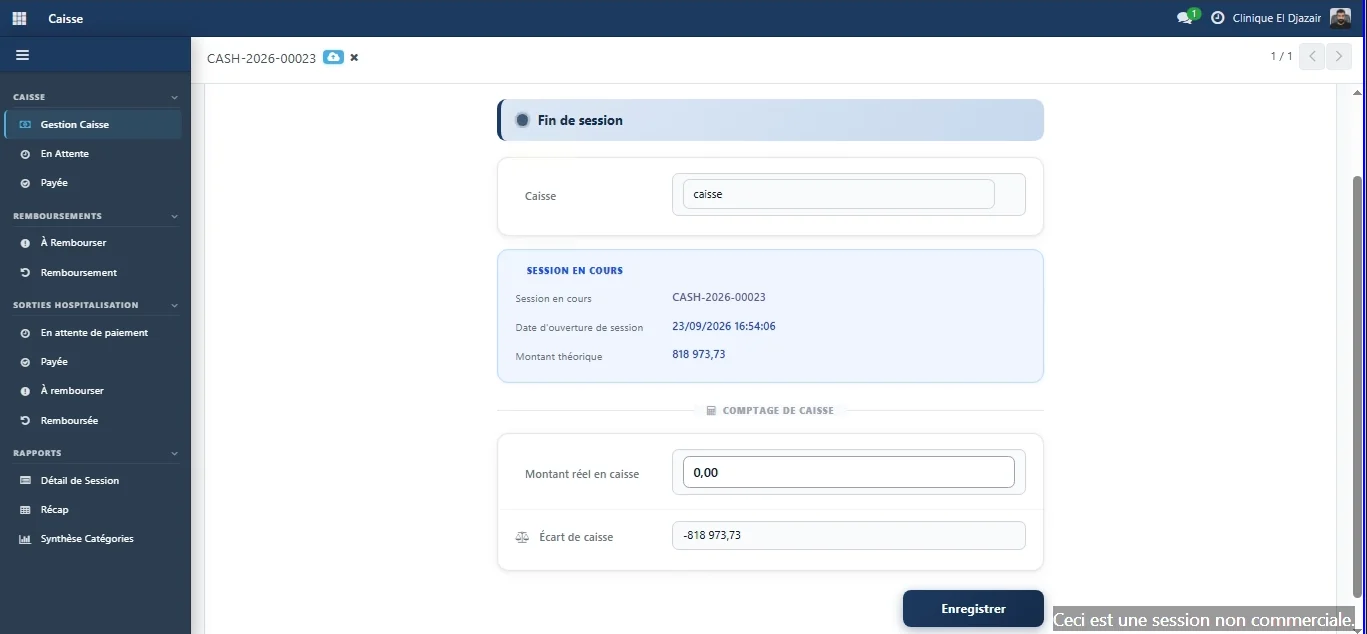
Control
Every payment belongs to a session opened by an identified cashier. At closing, the system compares what it expects with what is actually in the drawer.
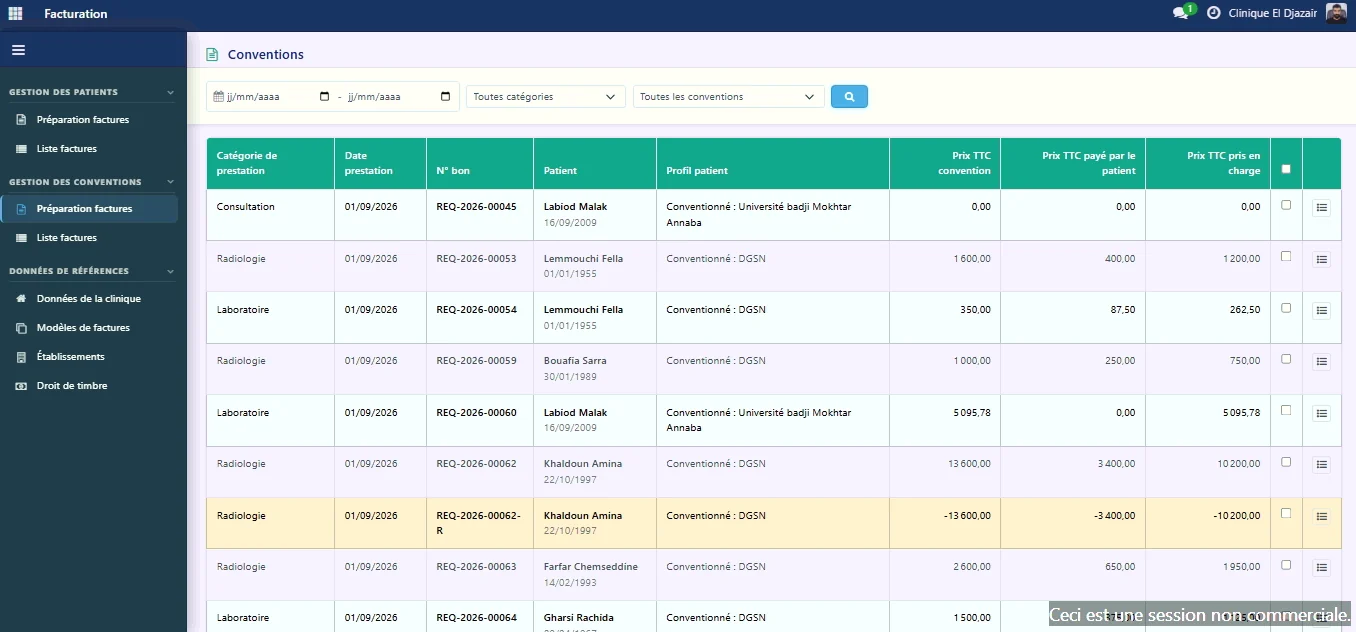
Agreements and billing
Invoices are prepared from what was actually collected and covered, with no manual reconstruction.
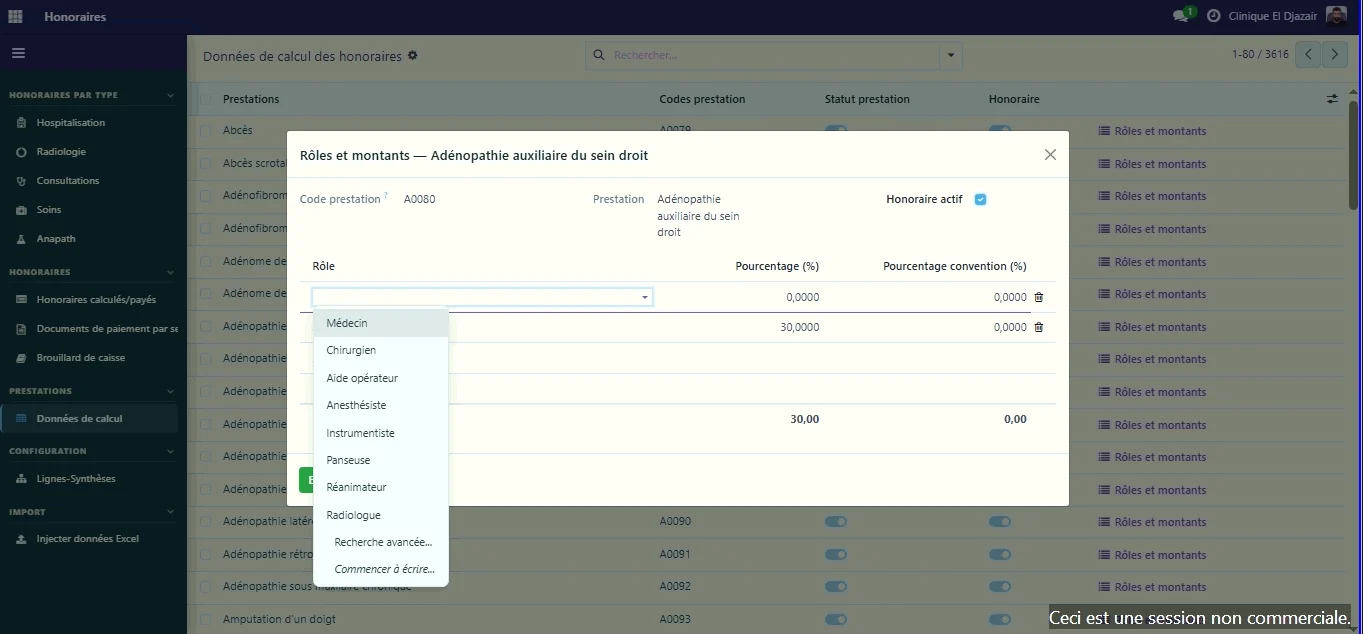
Practitioner fees
How fees are shared between practitioners and the clinic is configured in the system, service by service.
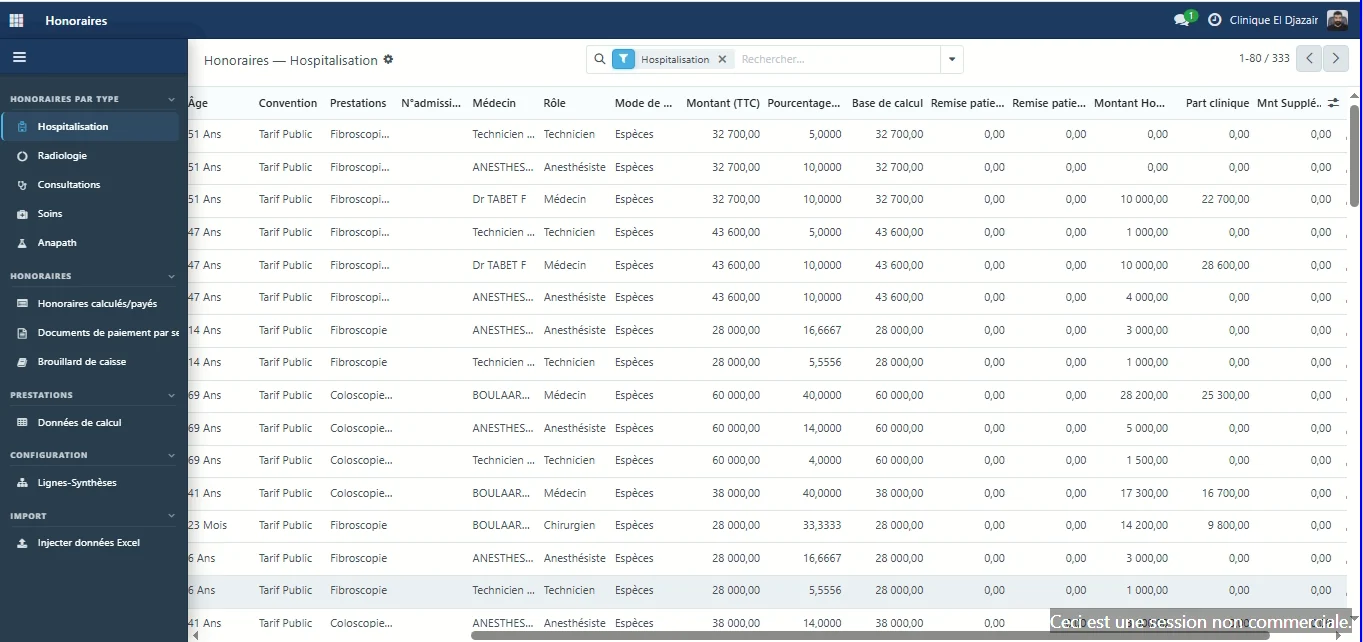
Practitioner fees
Fees are calculated on what was actually collected, one cash session at a time.
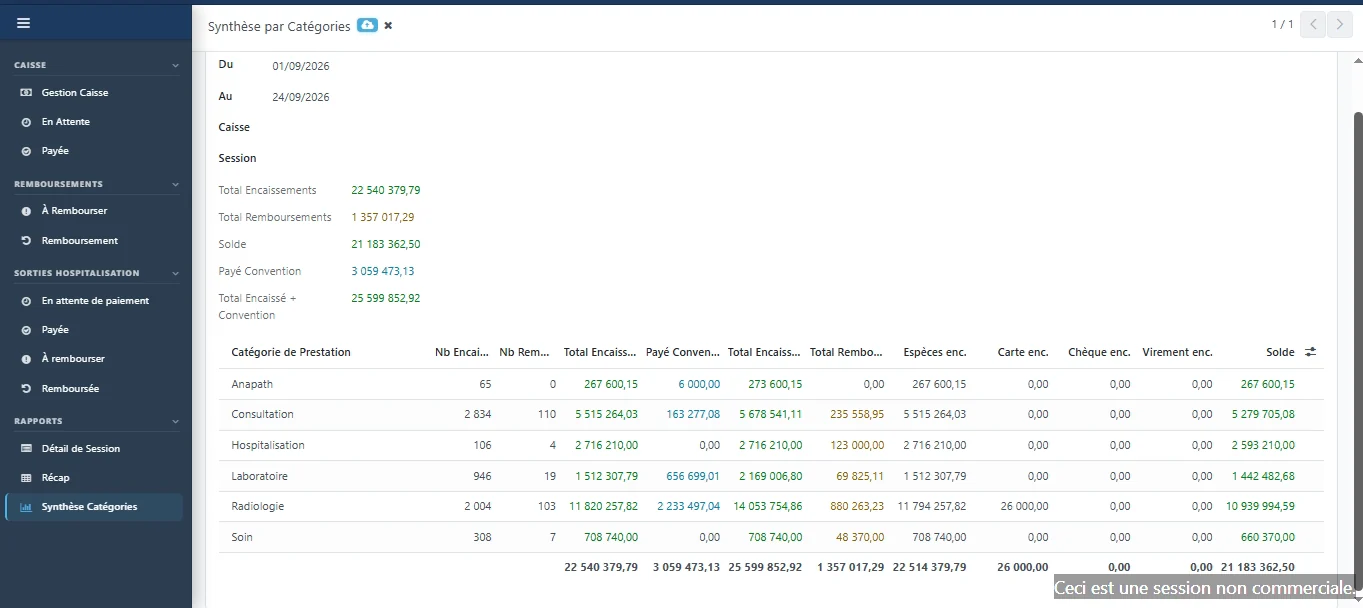
The big picture
The summary brings together, for the chosen period, what was collected and what was covered by insurers.
The reference catalogue that prices every procedure, the agreements you update yourselves, and the dashboards that report on activity.
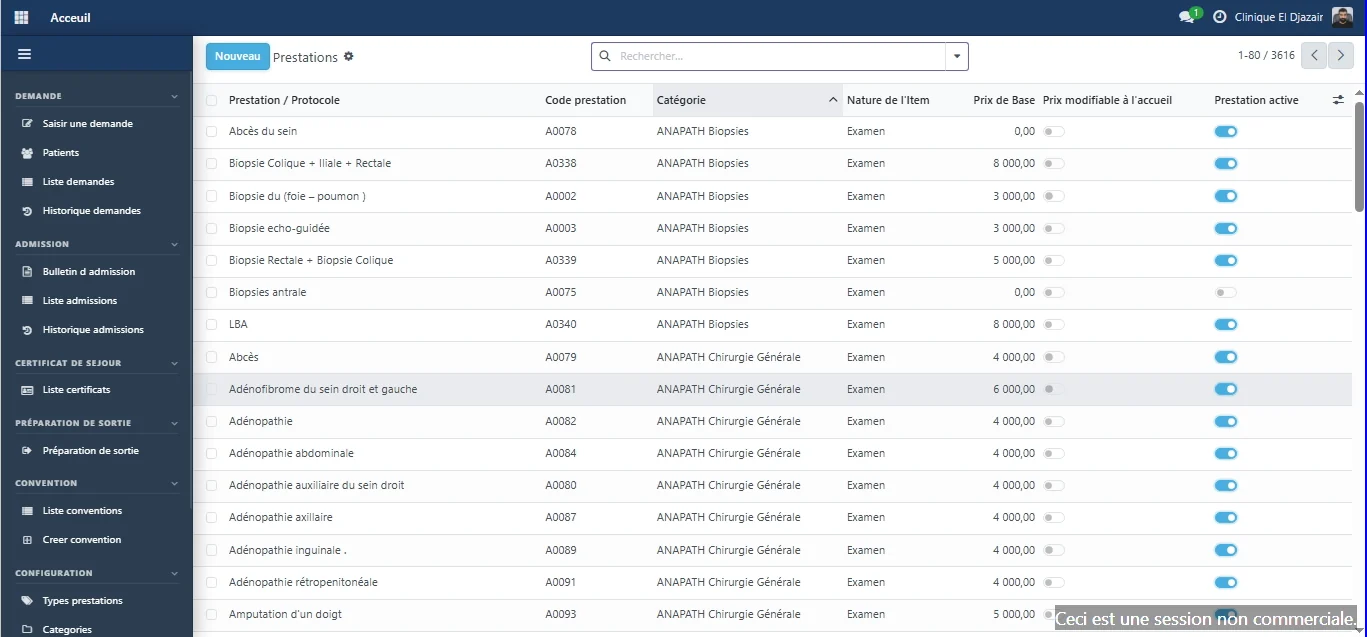
Reference data
The catalogue sets the price of every procedure. Reception, cash desk, billing and fees all read from it.
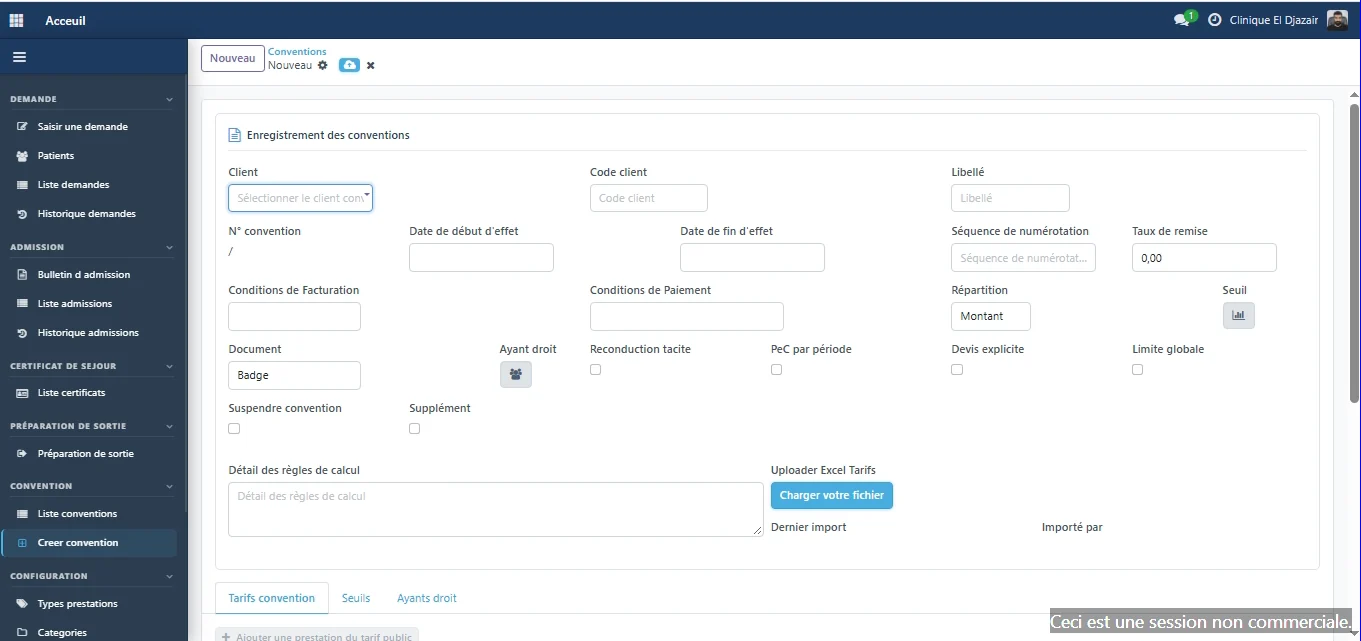
Agreements
Mutual insurers, companies and public bodies are recorded with their own prices and rules.
Dashboards
The dashboard brings together thirteen views fed by the other modules: finance, activity, production, patients and billing. Each can be filtered by period and shown as bars, lines, pie charts or a pivot table.
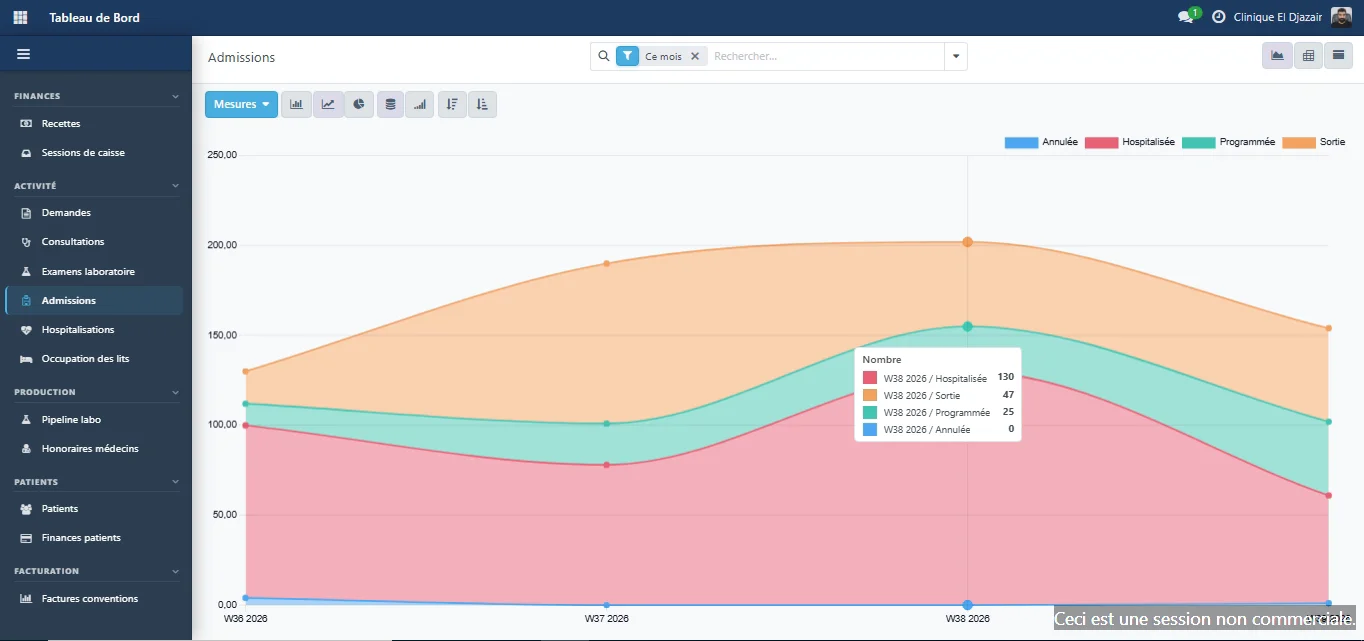
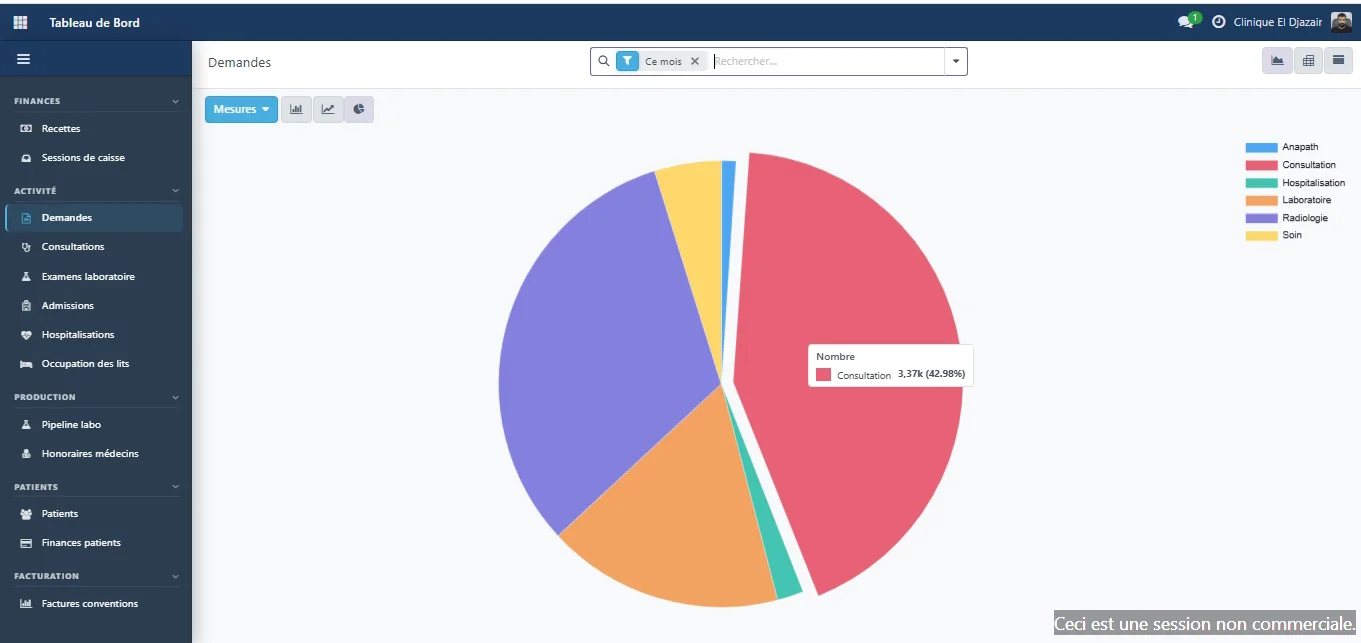
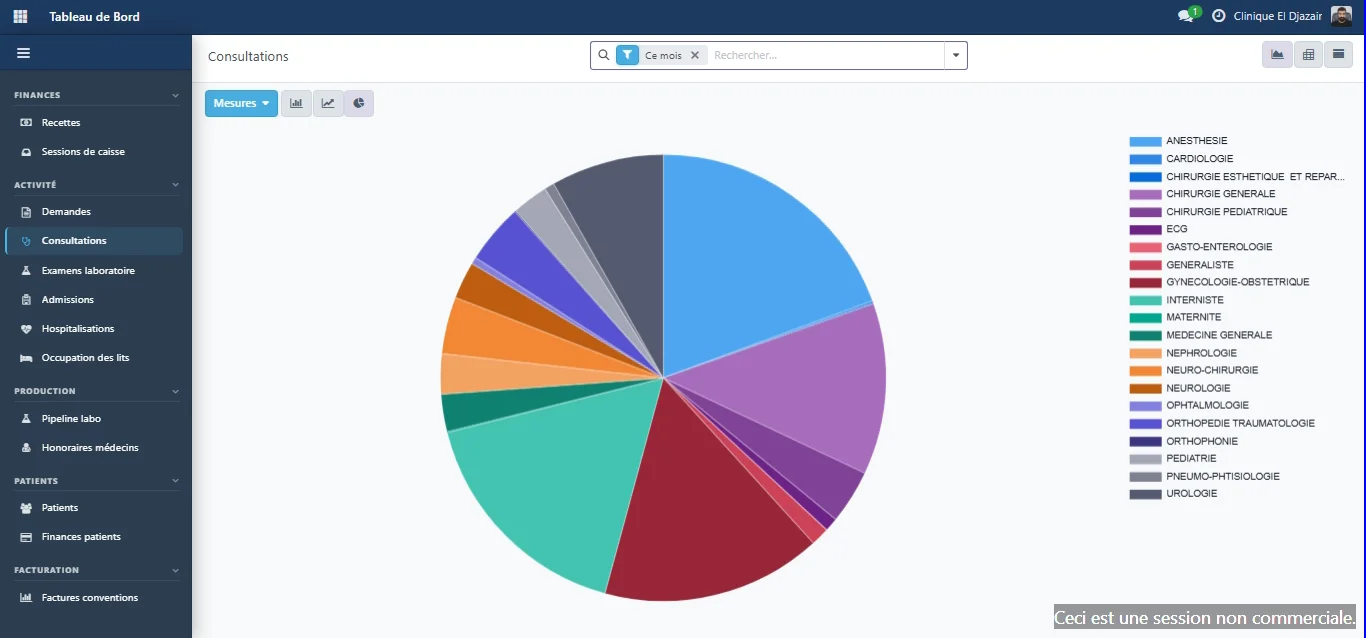
Custom dashboards, built around your clinic's needs.
We add the indicators your management wants to track, built on the data already in ERP Med.
The modules
Each module covers one area of the clinic and shares the same reference data.
Register your patients and enter their service requests.
Prepare admission forms and track the status of each stay.
Manage ward arrivals, the operating theatre and beds.
Route tests, enter and validate results.
Collect payments in sessions that are opened, counted and closed.
Prepare invoices for patients and insurers.
Set up your partner insurers and their price lists.
Define fee scales per procedure and per role, and track their calculation.
Track your products and stock movements.
Organise the tracking of your equipment and assets.
Revenue, activity, bed occupancy, fees: thirteen views fed by the other modules, plus custom dashboards built around your needs.
Cross-cutting
Our approach
A patient who moves through several departments, prices that change, insurers with different rules, and teams that should only see what concerns them.
Security & privacy
Health records and financial flows: you need to know who can access them, what is logged, where the data lives and how it is protected. Here are our answers, point by point.
Access rights are defined by role. Each team works in its own workspace, and ward staff only see the files of the ward they belong to.
Every step that affects the patient or money leaves a dated trail:
On a server installed in the clinic itself, backed up automatically every day. It is accessed by authorised clinic staff and, remotely, by our team through a secure connection.
A full backup runs automatically every day.
Our team is available 24/7 to respond to incidents: by phone, by WhatsApp or on site, depending on the issue.
Case study
ERP Med is not a mock-up: it is used every day by the teams at Clinique El Djazaïr in Annaba, Algeria.
 Clinique El DjazaïrAnnaba, Algeria
01
02
The clinic uses ERP Med to run its reception, admissions, inpatient care, laboratory, finance chain, inventory and fixed assets.
03
Today, the price of every procedure comes from the catalogue and insurer agreements: the cashier collects what the system has calculated, and every cash session closes with its variance. Practitioner fees are calculated on what was actually collected, and every step of a patient's stay is timestamped. Teams use it every day without difficulty, on software that is stable and fast.
Who uses it
The management and the technical team at Clinique El Djazaïr work with ERP Med every day.
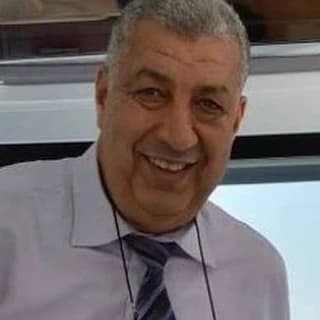 Djamal MiziOwner, Clinique El Djazaïr
 Zakaria BoudourTechnical manager, Clinique El Djazaïr
Deployment & support
Deployment starts with your prices, your insurer agreements and your fee scales: that is what then lets the system calculate every amount for you.
The schedule is agreed with you after the analysis, based on the size of the facility and the modules chosen.
In on-site workshops with management, accounting, heads of department and IT, we map your services and prices, your agreements and your fee rules. You sign off this inventory in writing.
Our team configures the catalogue, agreements and fee scales, and gives each user their role and access rights. You check the configuration against your own cases before go-live.
We migrate data from your current system using Excel or CSV files: patient file, public price list, agreement price lists and fee scales, within the scope defined during the analysis.
On site, each role is trained on its own screens using your configured data: reception, care units, laboratory, cash desk, billing and management. A key user in each department then supports their colleagues.
Our team is on site during the first days of operation. It then remains available 24/7 and handles software maintenance and updates.
About
ERP Med was founded by Ahmed Imed Eddine Bouzid, a software engineer specialised in artificial intelligence and data science. The software is now in production at Clinique El Djazaïr in Annaba, Algeria, where our team supports it 24/7.

Ahmed Imed Eddine Bouzid
Founder
Software engineer specialised in artificial intelligence and data science.
Frequently asked questions
On a server installed in your clinic, accessed by your authorised staff and, remotely, by our team through a secure connection. A full backup — database and scanned documents — runs automatically every day, and you choose where the copies are stored.
Yes, we migrate the data from your current system. Anything it can export to Excel or CSV can be imported, starting with the patient file, the public price list, agreement price lists and fee scales. The exact scope of the migration — stay history, outstanding balances — is defined with you during the analysis of your rules.
On site, before go-live, role by role: reception, care units, laboratory, cash desk, billing and management. Each team is trained on its own screens, with your services and agreements already configured. We also train a key user in each department, who becomes their colleagues' first point of contact day to day. You receive a user guide for each role, and new staff are trained on site or remotely, as you need.
Our team is available 24/7. It responds by phone, by WhatsApp or on site, depending on the need.
Your rules are configured in the software, without technical help: your service catalogue and its prices, your partner insurers and their terms, your fee scales per procedure and per role, and each role's access rights. Prices, agreement price lists and fee scales are imported from Excel. For needs that go beyond configuration, we build custom developments, assessed with you case by case.
Your teams keep working normally: ERP Med runs on the clinic's local network and does not depend on the internet. Only our team's remote access is interrupted during the outage; support remains reachable by phone and on site.
Yes, ERP Med can manage several facilities. How the sites are organised — shared or site-specific reference data, a consolidated view for management — is defined with you during the analysis of your rules.
Your services, your insurer agreements and your fee rules, run through ERP Med: judge it on the evidence.